OnTopOfMusic was already on top of its game. They had years of concert reports and photography in archive. What it lacked was a technical foundation that kept up. TheTechDodo audited the old WordPress setup. From there, mobile and plugin risks were fixed on a staged copy. As a result, mobile performance was lifted from 43 to 80 without ever putting the content at risk.
OnTopOfMusic didn't need its content replaced. However, their website around that content had to stop getting in the way. An old fixed-width theme with over 15 aging plugins made their good content hard to find. Meanwhile, the website stayed live and kept publishing, so nothing was allowed to break.
SiteOnTopOfMusic.com — A Dutch music blog with a large content archive
PlatformExtinct WordPress support for TheStyle v2.5 theme (Elegant Themes)
ProblemFixed-width mobile layout, plugin vulnerabilities, broken navigation, extinct technical base
ApproachAudit first, test on a staged copy, preserve original content, clean the Design
Why read the results if you can actually see them for yourself? TheTechDodo believes in transparency and is open about its results. The focus lied on the mobile first, because that's where the old layout hurt the most. The desktop version followed shortly thereafter.
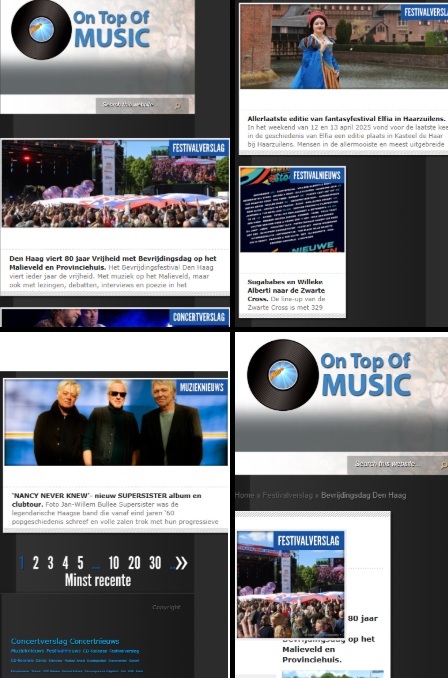
Before — mobile
Fixed-width layout, navigation friction, horizontal scroll.
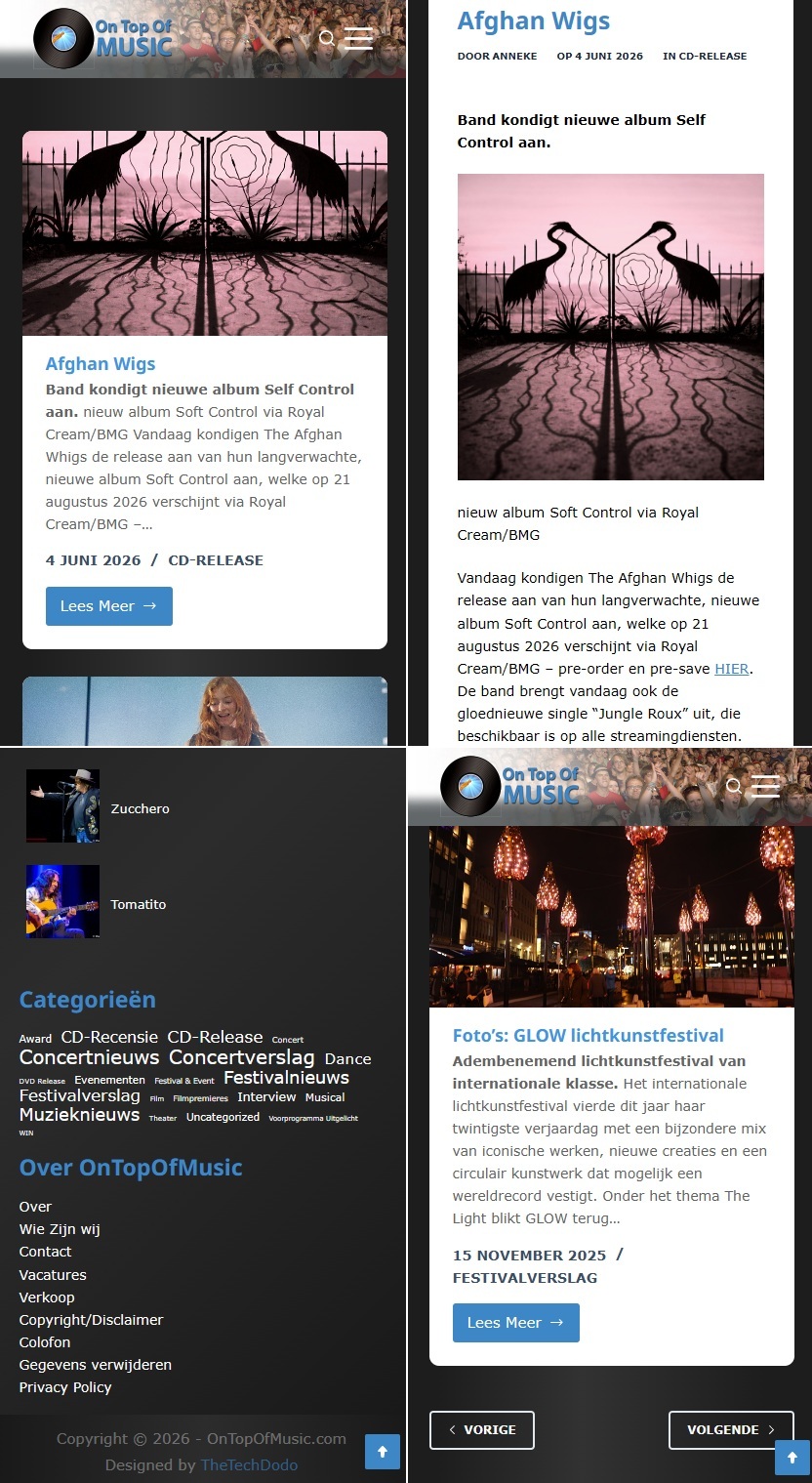
After — mobile
Responsive layout, clearer navigation, readable flow.
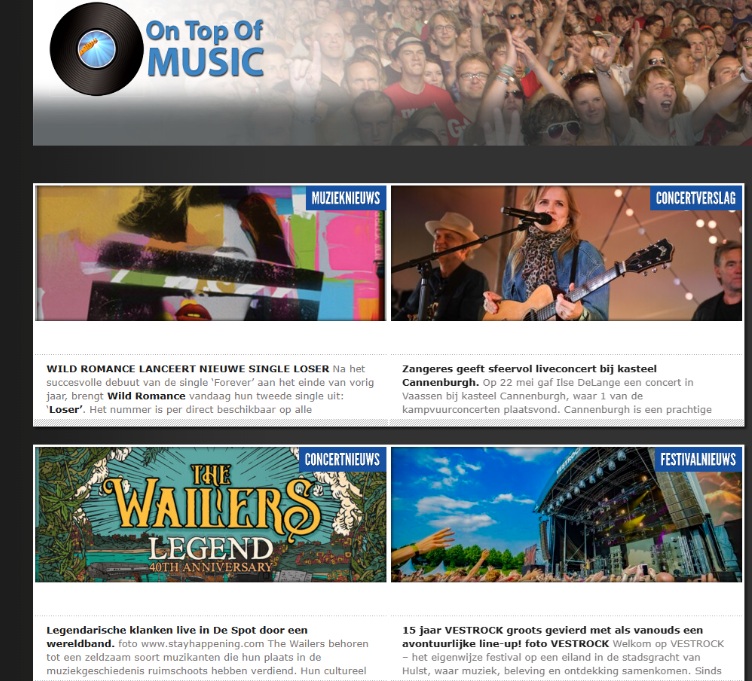
Before — desktop
Extinct TheStyle theme, dated structure and unclear navigation.
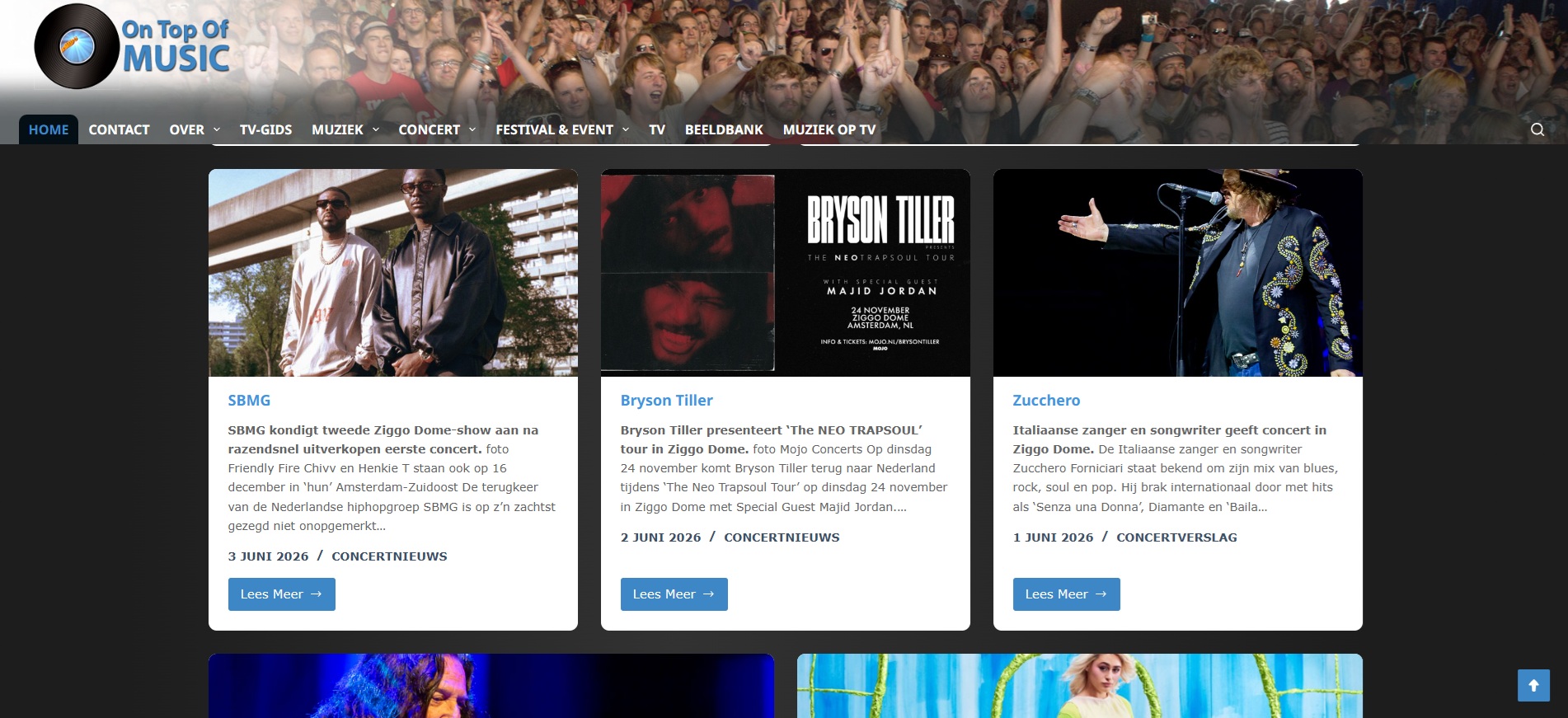
After — desktop
Cleaner layout, improved header and content hierarchy.
What was done
A step-by-step overview
On an outdated site, every patch tends to reveal more fragile code underneath. Therefore, TheTechDodo was extra careful during the redesign process in order to prevent disruptions.
Step 1
Audited the live site
Mapped behavior to find the real risks before proposing a single change. This included Mobile Lighthouse signals, browser console errors, plugin stack, theme setup, PHP version, and system status. Full diagnosis can be found in the technical appendix below.
Step 2
Rebuilt and fixed the risks on a staged copy
Tested every PHP, WordPress core, and plugin update on copy first so nothing reached the live site untested. Depricated plugins were documented and removed, not blindly updated.
Step 3
Cleaned the experience
Responsive mobile layout, clearer header and navigation, readable typography, a tidier footer, improved blog post design, and related-post structure. Turning client revisions feedback into concrete design fixes.
Step 4
Documented what's left
Left a clear technical picture on what was fixed, what still carries residual risk, and a future-phase plan for speed, plugin reduction.
Outcome
The end result
Measurable gains and visible design changes on a budget scope, and a foundation that's now safe to build on and scale.
43→80Mobile performance nearly doubled.
Mobile-readyNo more fixed-width breakage across phone, tablet, and desktop.
100 / 100Best Practices and SEO both reached a perfect Lighthouse score.
Archive intactEvery post, page, and image preserved through the whole redesign.
This was a foundation project, not a traffic-growth campaign. This means that there are no revenue charts to show. Nevertheless, OnTopOfMusic left with a faster, safer, mobile-ready site that's now a solid base for SEO, tracking, and future work.
Beyond the fix
Set up to keep growing
A faster site is only worth it if it can be build on. That's why TheTechDodo set OnTopOfMusic up to grow their own visibility, with clear instructions, so nothing depends on a developer being on call.
SEO
Yoast SEO, installed and made usable
Installed and thoroughly tested Yoast SEO, then turned it into a clear step-by-step guide that is followed on every new post. As a result, each article is structured for search engines and AI systems, giving content a fair chance to be found.
Search
Registered with Google Search Console
Verified the site in Google Search Console at the DNS level, so Google can properly index it and report on coverage and search performance. The site is now officially on Google's radar, with a dashboard to track how people find it.
Galleries
A guide for the existing slideshow tool
Provided a how-to-use guide of the MetaSlider gallery plugin that was already on the site. Afterwards, it was used to build and update their own image sliders, without touching code or waiting on support.
Technical appendix
The full diagnosis
The story above is the short version of all the work that was put into this project. Here you will find the detailed process. Read about what exact risks were found and what was intentionally left for a future phase.
Diagnosis — what the audit found
Theme risk: TheStyle v2.5 by Elegant Themes: an older fixed-structure theme with no child theme active. Hard CSS rules rather than a modern builder, difficult to update safely without risking layout issues.
Mobile risk: fixed-width layout with weak responsiveness. On smaller screens: header shifts, horizontal scroll, and navigation that wasn't intuitive for new readers.
Plugin risk: 15+ active plugins, several deprecated or risky. Fatal error sources (Category Clouds Widget), deprecated PHP warnings (Watermark Reloaded), session header issues (WP GDPR Fix Pro), and outdated jQuery-dependent tools. No caching plugin and no SEO plugin active at scan time.
Content structure: a robust archive posts, pages, categories, tags, featured images all intact and preservable. MetaSlider shortcodes in posts needed careful handling during plugin changes.
SEO base: the starting score (92/100) wasn't poor, but heading hierarchy, metadata, and internal linking needed a cleaner base to support future visibility.
Stack and environment
WordPress 6.3.5 on PHP 7.4.33. Legacy TheStyle v2.5 theme (Elegant Themes). Classic Editor active, no child theme. Apache + LiteSpeed on Linux. Upload limit of 1 MB at audit time, notably low for a photography-heavy publication.
Audit tools: Lighthouse mobile audit, browser console inspection, plugin deactivation testing, WordPress system status review, debug.log config files, jQuery Migrate Helper for legacy script diagnosis.
Staging: hosting copy. All plugin and core updates were tested before any change reached the live site.
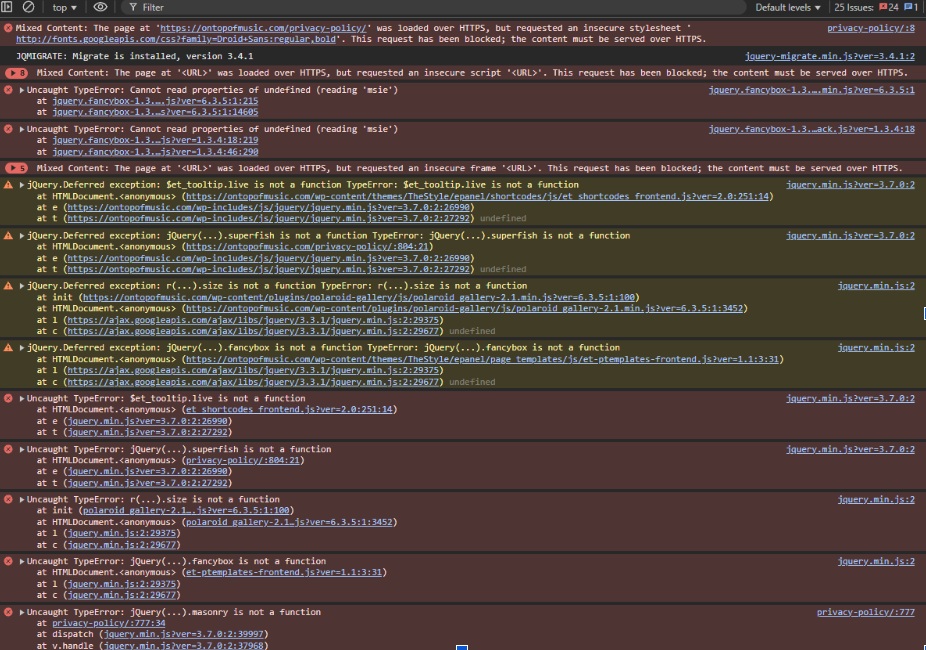
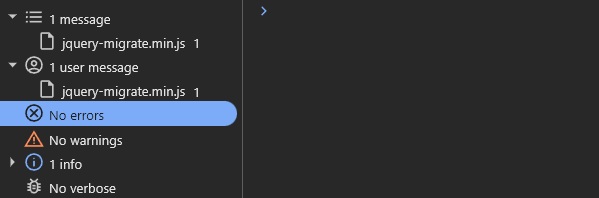
Before / after — browser console
The legacy build threw jQuery migrate warnings, deprecated PHP calls, and plugin-sourced errors. After updates and legacy script cleanup, console output was reduced to 0.
Before — console Legacy warnings and plugin errors.After — console Reduced warnings, cleaner output.
SEO, tracking and privacy
No SEO plugin (Yoast or equivalent) was active at the deep scan. Cleaner heading structure, metadata, and image alt text were part of the refresh scope to support future visibility, for search engines and AI systems alike.
No non-consent-aware scripts were added. The live site had a cookie-consent UI in place. Any future GA4 / GTM setup should be handled as a separate, consent-managed step. No legal or GDPR compliance guarantee is made in this case study.
Known limitations & future phases
A content-heavy legacy WordPress site like this can still benefit from:
Full rebuild on a modern theme, with a child theme from the start
PHP upgrade beyond 7.4 and a core maintenance plan
Systematic plugin reduction and replacement
Image optimisation workflow and a higher upload limit
Caching layer and a structured SEO improvement plan
Long-term maintenance and monitoring
The refresh improved the foundation. A future rebuild would address the deeper structural limits of the legacy theme.
Is your website up to date?
Keep calm and let's review what to keep, what to stage, and what to rebuild. A full teardown isn't always needed. That's why TheTechDodo is here to help.